Instagram uses different icons to help people interact with posts, share content, and communicate with others. However, some symbols are not immediately easy to understand. One example is the two arrows on Instagram, which can leave users wondering whether someone shared their post, reposted a video, or performed another action.
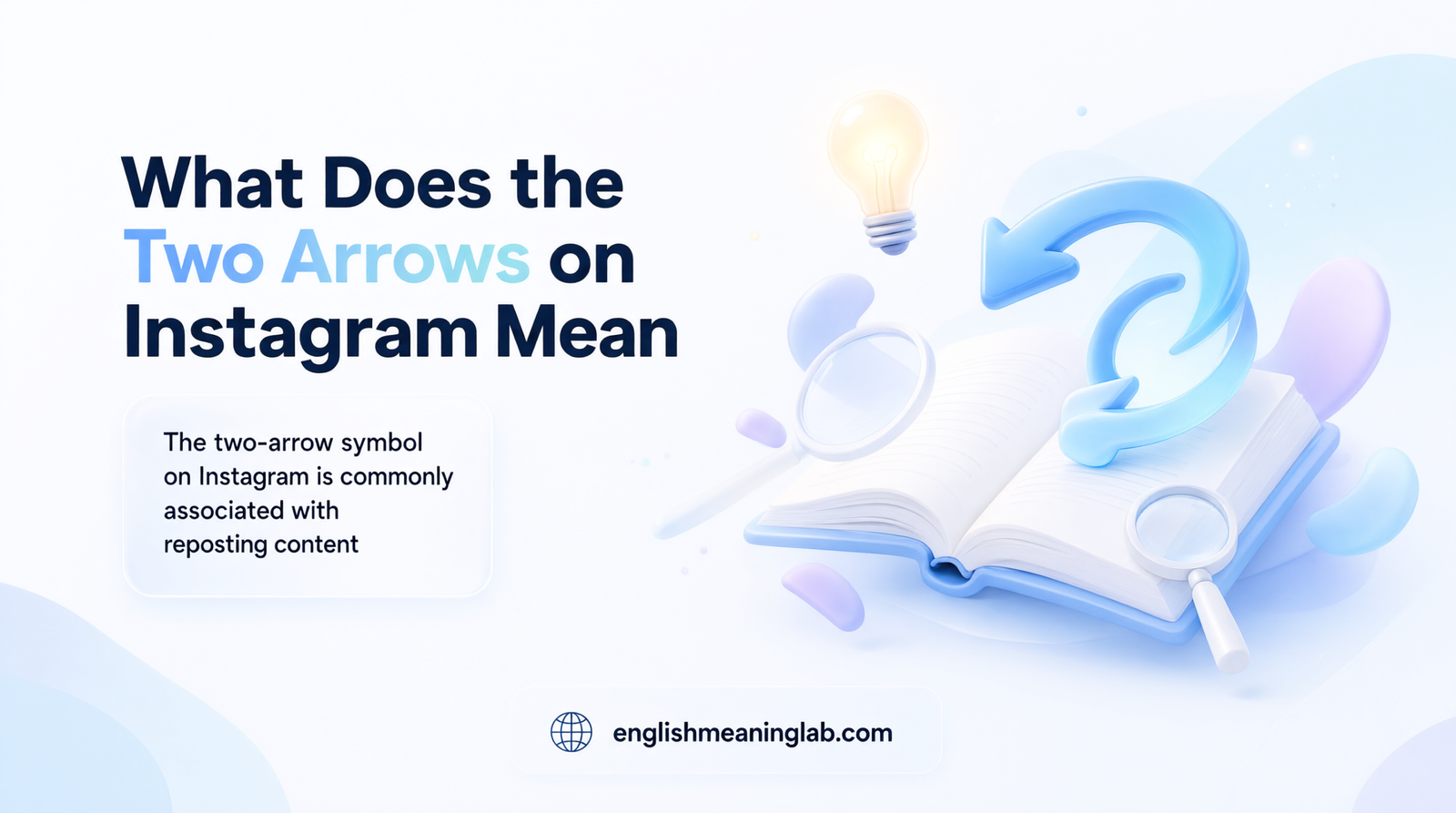
If you have noticed two arrows forming a loop or pointing in opposite directions on Instagram, you are probably looking at the repost symbol. Instagram uses this icon to represent its repost feature, which allows users to share eligible public content with their followers while giving credit to the original creator.
The symbol may appear around posts, Reels, or other shared content, depending on the Instagram interface. Understanding what it does can help you use the platform more confidently. It is also useful to know how reposting differs from sharing something through a direct message, adding it to your Story, or simply liking it.
Quick Answer
The two arrows on Instagram generally represent the repost feature, which allows users to share someone else’s eligible public post or Reel with their followers. The symbol indicates that content can be reposted or has been reposted, depending on where it appears. It is different from the like, comment, and direct-message sharing icons.
1. Meaning and Definition of the Two Arrows on Instagram
The two-arrow symbol on Instagram is commonly associated with reposting content. It gives users a way to share an existing post or Reel with their own followers without creating a completely new post.
A repost is different from uploading someone else’s photograph or video yourself. When you use Instagram’s repost feature, the original creator remains credited, and the content is shared through Instagram’s repost system.
What does the repost symbol look like?
The icon generally consists of two arrows arranged in a circular or repeating direction. Its appearance may vary slightly depending on the Instagram screen and interface version.
It is commonly associated with these actions:
- Reposting another user’s content.
- Sharing an eligible public post with your followers.
- Reposting a Reel that you want your audience to see.
- Identifying content that you or another account has reposted.
What happens when you tap the two arrows?
When you tap the repost option on eligible content, Instagram allows you to repost that content rather than simply liking it.
Depending on the available interface, you may also have an opportunity to add a note or comment explaining why you are sharing it.
For example, imagine your friend uploads a funny Reel about everyday life. You find it entertaining and want your followers to see it. Instead of downloading the video and uploading it again, you can use the repost feature.
The original creator receives attribution, helping viewers identify where the content came from.
Does the symbol mean someone reposted your content?
It can, depending on where you see it.
If you notice repost activity associated with your own post or Reel, it may indicate that another account has shared your content using Instagram’s repost feature.
However, simply seeing the two-arrow icon does not identify who reposted something. You may need to check the relevant notifications or available repost information.
The most important distinction is that the two arrows are generally connected to sharing and reposting, not expressing approval through a like.
2. Background: Why Instagram Uses the Two-Arrow Symbol
Instagram has introduced different ways for users to interact with content over time. Originally, much of the platform’s interaction centered on liking photographs, leaving comments, and sharing posts privately.
As video content and Reels became increasingly important, users also wanted convenient ways to share interesting posts with their own audiences.
The repost feature provides another way to distribute content within Instagram.
The idea behind reposting
Reposting is a familiar concept across social media platforms. It allows someone to share content created by another person while keeping the original content associated with its creator.
For example, if someone publishes a helpful educational video, another user might want to recommend it to their followers.
Reposting makes this possible without requiring the user to download and upload the video separately.
Why use two arrows?
Two arrows are a recognizable visual way to communicate an action involving repetition, exchange, or circulation.
In Instagram’s interface, the repost symbol helps distinguish reposting from other interactions.
For example:
- A heart represents liking.
- A speech bubble represents commenting.
- A paper-plane icon is commonly associated with sharing through messages.
- Two repeating arrows represent reposting.
These visual differences make it easier to understand the available actions.
How the feature fits into Instagram
Instagram has gradually expanded beyond a simple photo-sharing platform. Users can now interact with photographs, videos, Reels, Stories, and other forms of content.
Reposting supports this broader sharing experience by allowing interesting content to reach additional audiences.
It also provides creators with another opportunity to receive exposure when people share their work.
There is no need to assume that every appearance of two arrows represents exactly the same action. Instagram uses different symbols in different parts of its interface, and icon designs can change with updates.
For the most accurate interpretation, consider where the symbol appears and what happens when you tap it.
3. Usage of the Two Arrows in Different Contexts
The two-arrow symbol can be understood by looking at the Instagram feature or screen where it appears.
Two arrows on an Instagram post
When the repost icon appears underneath an eligible post, it generally provides an option to repost that content.
For example, you might see a photograph of a beautiful destination and want to share it with your followers.
Using the repost option allows you to recommend the original post without independently uploading the image.
Two arrows on an Instagram Reel
On Reels, the repost symbol serves a similar purpose. It lets users share an interesting video with their followers through Instagram’s repost functionality.
For example, you might repost:
- A funny video.
- An educational Reel.
- A motivational message.
- A cooking tutorial.
- A travel video.
The original creator remains associated with the content.
Two arrows on your Instagram profile
Instagram may provide a separate area or tab for viewing reposted content, depending on the interface available to your account.
If you see the repost symbol in a profile-related area, it may help identify content that the account has shared through reposting.
This is different from the person’s original photo and video uploads.
Two arrows in professional or business use
Businesses, brands, and content creators can also use reposting to share relevant material.
For example, a business might repost a customer’s public content, a creator’s video, or an announcement from a related account.
However, reposting does not automatically mean that the business officially endorses every statement in the shared content.
Two arrows in casual conversations
People sometimes use the term “two arrows” when discussing Instagram with friends.
For example:
Person A: “What does that symbol under the Reel mean?”
Person B: “That’s the repost button. You can use it to share the video with your followers.”
In this situation, the symbol is simply being discussed as a platform feature rather than a separate slang expression.
4. Meaning of the Two Arrows on Instagram, WhatsApp, and TikTok
Although different social media platforms use sharing and reposting features, their icons and functions are not always identical.
On Instagram, two arrows forming a repeating or circular design generally represent reposting.
Users can use the feature to share eligible posts and Reels with their followers.
For example:
“I really like this video, so I’m going to repost it.”
The action helps distribute the original content to another audience.
WhatsApp has a forwarding feature that allows users to send messages, photographs, videos, and other content to individual contacts or groups.
Its forwarding icon and interface are different from Instagram’s repost symbol.
If someone says they forwarded a video on WhatsApp, it does not necessarily mean they used Instagram’s repost feature.
TikTok
TikTok has its own repost feature, which allows users to recommend videos to others through the platform.
Although the general idea is similar to Instagram reposting, the icon design and placement may differ.
TikTok’s repost option is associated with sharing videos with your audience rather than creating a completely new upload.
Facebook also provides ways to share posts and videos with friends, groups, and other audiences.
Its sharing controls are generally presented through a share option rather than Instagram’s specific two-arrow repost symbol.
Are all repost icons the same?
No. Different applications use different designs for sharing and reposting.
The general purpose may be similar, but the exact function depends on the platform.
It is important not to assume that an icon on WhatsApp, TikTok, or Facebook has the same meaning as Instagram’s repost symbol.
5. Meaning of Two Arrows in Physics, Medical, and Aircraft Terminology
The phrase “two arrows” describes a visual symbol rather than a specific technical abbreviation. Its meaning can change depending on the field in which it appears.
Two arrows in physics
Two arrows do not have one universal meaning in physics.
Their interpretation depends on their direction, arrangement, labels, and the diagram in which they appear.
For example:
- Opposite-facing arrows may represent opposing directions.
- Circular arrows may illustrate rotation.
- Arrows pointing toward each other may represent movement toward a common point.
- Arrows pointing away from each other may illustrate separation or opposite movement.
These are general examples of how arrows are used in diagrams, not a single definition of Instagram’s repost icon.
Two arrows in medical terminology
There is no universal medical definition for Instagram’s two-arrow repost symbol.
In medical diagrams and documents, arrows can communicate direction, movement, relationships, or processes.
The meaning depends on the specific illustration or medical context. A social media repost icon should not be interpreted as a medical symbol.
Two arrows in aircraft and aviation terminology
In aviation, arrows may be used in diagrams, navigation displays, technical instructions, and aircraft documentation.
Their meaning depends on the specific system and visual representation.
Instagram’s two-arrow icon does not have a standard aviation meaning simply because it contains arrows.
Why these meanings should not be confused
The same visual shape can appear in different environments while serving completely different purposes.
On Instagram, the repost symbol is associated with sharing content. In a scientific diagram, arrows may represent direction or movement.
Always interpret a symbol according to the application, document, or system in which it appears.
6. Common Misconceptions About the Two Arrows on Instagram
People sometimes misunderstand the repost symbol because it looks similar to other sharing and interaction icons.
Here are some common misconceptions.
Misconception 1: Two arrows mean someone liked your post
The repost icon and like button perform different functions.
A like indicates that someone appreciated or reacted positively to content. A repost means someone shared that content through Instagram’s repost feature.
Someone can like a post without reposting it, and they can repost content without that action necessarily expressing personal approval.
Misconception 2: Two arrows mean someone sent you a private message
The repost symbol is not the same as the direct-message sharing option.
Instagram users can send posts and Reels privately through messages. Reposting, however, makes content available through the platform’s repost system.
These are separate actions with different purposes.
Misconception 3: Reposting means stealing someone’s content
Reposting through Instagram’s built-in feature is different from downloading someone else’s video and uploading it as your own.
The repost feature is designed to keep the original creator associated with the shared content.
However, users should still respect creators’ rights and platform rules when sharing material.
Misconception 4: The two arrows mean someone viewed your profile
Instagram’s repost symbol does not indicate that someone visited your profile.
It is associated with reposting content, not profile-view tracking.
Be careful with websites or applications claiming that the symbol reveals who has secretly viewed your account.
Misconception 5: Reposting automatically means someone agrees with the content
Not necessarily.
A user might repost something because it is funny, interesting, informative, or relevant to a conversation.
Reposting alone does not establish that the person agrees with every statement in the original post.
Misconception 6: Everyone can repost every Instagram post
Reposting availability can depend on content eligibility, account privacy, feature availability, and Instagram’s settings.
For example, private content may have different sharing restrictions from eligible public content.
If you cannot see the repost option, it does not automatically mean your application is broken.
7. Similar Instagram Symbols and Alternatives
Instagram contains several icons that represent different ways of interacting with content. Some may look similar at first, especially when viewed on a small phone screen.
| Instagram symbol | Common meaning | Main purpose |
|---|---|---|
| Two arrows | Repost | Share eligible content with followers |
| Heart | Like | Show appreciation |
| Speech bubble | Comment | Write a response |
| Paper plane | Share or send | Send content to others |
| Bookmark | Save | Keep content in your saved collection |
| Plus sign | Create or add | Start creating or adding content |
| Three dots | More options | Open additional actions |
Repost vs. like
A like communicates appreciation for a post or Reel.
A repost shares the content with your followers through Instagram’s repost feature.
For example, tapping the heart on a cooking video shows that you liked it. Tapping the repost option allows you to recommend that video to your audience.
Repost vs. Story sharing
Story sharing allows you to add eligible content to your Instagram Story.
A repost uses Instagram’s dedicated repost functionality.
The two actions may both help content reach additional viewers, but they are not identical. A Story is temporary under Instagram’s usual Story format, while reposted content is associated with the repost feature.
Repost vs. direct-message sharing
Direct-message sharing sends content privately to selected people or conversations.
Reposting is intended to share content through your Instagram audience.
If you want only one friend to see a video, sending it through a direct message may be more appropriate than reposting it.
Repost vs. saving a post
Saving allows you to keep content in your personal saved collection for later viewing.
It does not publicly share the content with your followers.
For example, you might save a recipe because you want to try it later, while reposting a useful cooking video allows your followers to discover it too.
8. How to Respond When Someone Reposts Your Instagram Content
If someone reposts your content, you generally do not need to send a response. Reposting is an interaction with your content rather than a direct question or message.
However, if you notice someone sharing your post and want to acknowledge it, you can respond in several ways.
If a friend reposts your content
You can send a friendly message.
Examples:
- “Thanks for reposting!”
- “Glad you liked it!”
- “Appreciate the support!”
- “Thanks for sharing this with your followers!”
If a content creator reposts your Reel
You can express appreciation without making the interaction complicated.
Examples:
- “Thank you for sharing my video!”
- “Really appreciate the support.”
- “Glad this content reached your audience!”
If someone reposts your content without explanation
You do not need to assume that they are trying to communicate a hidden message.
They may simply enjoy the post or find it useful.
If you are curious, you can ask:
“Hey, did you like that post?”
If you do not want someone sharing your content
You can review your account’s privacy and repost-related settings.
Instagram provides different privacy and content-sharing controls, although the options available can vary by account type and application version.
If the content is private or you do not want it circulated, review the relevant controls rather than assuming the repost symbol itself gives someone unrestricted access.
9. Differences Between Reposting and Other Instagram Actions
Understanding the difference between Instagram’s sharing features makes the two-arrow icon much easier to recognize.
| Feature | What happens | Who can see it? |
|---|---|---|
| Repost | Shares eligible content through the repost feature | Your eligible audience |
| Like | Records appreciation for content | The creator and others who can see likes |
| Story share | Adds eligible content to your Story | Your Story audience |
| Direct message | Sends content privately | Selected recipients |
| Save | Keeps content in your saved collection | Generally just you |
| Comment | Adds a written response | People who can view the post |
Why choose reposting?
Reposting is useful when you want your followers to discover content that someone else created.
For example, if a creator publishes a useful video about learning English, you might repost it because you believe your audience will find it helpful.
You do not have to download the video and upload a separate copy.
Why choose Story sharing instead?
Stories are useful for sharing something temporarily or adding your own reaction to another person’s post.
For example, you might share a friend’s birthday announcement to your Story with a personal message.
Why choose direct messages?
Direct messages are better when you want to share something with a specific person instead of your entire eligible audience.
For instance, you might send a funny Reel privately to your best friend.
Why choose saving?
Saving is useful when you want to return to a post later without sharing it publicly.
A travel video, recipe, educational tutorial, or shopping idea might be worth saving for future reference.
Choosing the correct option depends on whether you want to recommend content, respond to it, share it privately, or keep it for yourself.
10. Relevance in Online Conversations and Dating Apps
The two-arrow symbol is primarily an Instagram interface feature, not a dating abbreviation or romantic signal. However, reposting can sometimes become part of social interactions between friends, couples, and people who are getting to know each other.
When your crush reposts your content
If someone you like reposts your photograph, video, or Reel, it may simply mean they enjoyed the content or wanted to share it.
It could be a friendly interaction or part of a wider pattern of attention, but reposting alone does not prove romantic interest.
When your partner reposts your post
If your boyfriend or girlfriend reposts your content, they may want their followers to see it.
Some people use reposting to support their partners, share memorable moments, or recommend content they enjoy.
However, not everyone uses social media in the same way. Some people regularly repost content, while others rarely interact with posts publicly.
When someone reposts a romantic video
A person might repost a relationship-related Reel about love, commitment, or relationships.
You should not automatically assume that the video is directed at you. It may reflect their personal feelings, sense of humor, or general interest in the topic.
Does reposting mean someone likes you?
Not necessarily. A repost is an interaction with content, not a reliable indication of romantic feelings.
If someone regularly communicates with you, starts conversations, and makes an effort to spend time with you, those behaviors provide more meaningful information about their interest.
Remember that the two arrows on Instagram have a platform-related function. Their appearance should not be treated as a secret dating signal.
FAQs
1. What does the two-arrow symbol mean on Instagram?
The two-arrow symbol on Instagram generally represents reposting. It allows users to share eligible public posts or Reels with their followers through Instagram’s repost feature. The original creator remains credited, making it different from downloading and uploading someone else’s content independently.
2. What happens when you click the two arrows on Instagram?
When you tap the repost icon on eligible content, Instagram lets you share that post or Reel through its repost feature. Depending on the available options, you may also be able to add a note. The content can then reach your followers without requiring you to create a separate upload.
3. Can someone see if I repost their Instagram post?
Reposting may generate a notification or appear in relevant activity information, depending on Instagram’s features and settings. The original creator may therefore become aware that their content was reposted. However, the exact notifications and visibility options can change with Instagram updates.
4. What is the difference between the two arrows and the paper airplane on Instagram?
The two arrows generally represent reposting, while the paper-plane icon is commonly used for sharing content through direct messages. Reposting distributes eligible content through your Instagram audience, whereas direct-message sharing sends it privately to selected people or conversations.
5. What does it mean when someone reposts your Instagram Reel?
When someone reposts your Reel, they are sharing your video through Instagram’s repost feature. They might find it entertaining, useful, interesting, or worth recommending to their followers. It does not necessarily mean they are sending you a personal message or expressing romantic interest.
6. Why can’t I see the two-arrow repost button on Instagram?
You may not see the repost button because of content eligibility, account privacy, feature availability, or differences in your Instagram application. Some posts may not support reposting. Updating the app and checking the account’s sharing settings may help you understand why the option is unavailable.
7. Can I undo a repost on Instagram?
Yes, Instagram generally allows users to remove a repost they have made. Find the reposted content and use the repost option again or the available removal control, depending on the interface. Removing a repost is different from deleting the original creator’s post.
8. Does the two-arrow symbol mean someone is stalking my Instagram profile?
No, the two-arrow repost symbol does not indicate that someone has visited or stalked your profile. It is associated with sharing content through Instagram’s repost feature. It does not provide a list of profile visitors or reveal who has secretly viewed your account.
Conclusion
The two arrows on Instagram generally represent the repost feature, which allows users to share eligible posts and Reels with their followers while keeping the original creator credited. It provides a convenient way to recommend interesting videos, photographs, educational content, and entertaining posts without uploading separate copies.
It is important to understand that reposting is different from liking, saving, sharing through Stories, or sending content privately through direct messages. Each Instagram feature has its own purpose, and recognizing the icons makes the platform easier to use.
The symbol also does not indicate that someone has viewed your profile or developed romantic feelings toward you. Its meaning depends primarily on where it appears in the Instagram interface.
If you see two arrows underneath a post or Reel, the most likely explanation is that Instagram is offering its repost functionality. Understanding this simple distinction can help you use Instagram more confidently and avoid common misunderstandings.